
About This Game
Core Gameplay Loop
Winter Slide places you on a steep, snow-covered slope where your character moves forward automatically. The challenge lies in timing your jumps to clear rocks, gaps, and barriers that appear along the path. Coins and bonus items are scattered throughout the course, rewarding players who take calculated risks to collect them. Each attempt ends when you hit an obstacle, encouraging you to improve your reaction time and learn the rhythm of the terrain.
Visual Design & Atmosphere
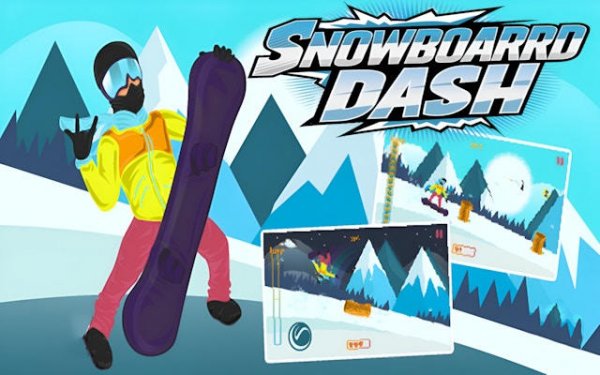
The game presents a crisp winter landscape with bright skies, snow-covered trees, and winding trails. The color palette uses cool blues and whites, accented by warm oranges and yellows from collectible items. This visual style creates a calm yet focused mood, helping players concentrate on the path ahead. The smooth animations of the character and environment add to the polished feel, making each run visually satisfying.
Control Scheme & Accessibility
Winter Slide uses a simple one-touch control system. On mobile devices, tapping the screen makes the character jump. On desktop computers, clicking or pressing a key performs the same action. This minimal input method means players can focus entirely on timing and positioning. The game responds instantly to inputs, allowing for precise adjustments. Newcomers can pick up the basics within seconds, while experienced players can refine their timing to achieve higher scores.
Progression & Replay Value
There is no fixed end point in Winter Slide. Instead, the goal is to travel as far as possible while collecting points. Obstacles and coin placements change with each run, ensuring no two attempts are identical. The game tracks your highest score, giving you a clear target to beat. This format encourages repeated play without requiring complex storylines or unlockable content. The simple loop of improving your personal best keeps the experience engaging over time.
Platform Optimization
Winter Slide runs smoothly on both mobile devices and desktop computers. The interface adjusts to different screen sizes, and the touch controls feel natural on phones and tablets. On desktop, the game works well with mouse clicks or keyboard inputs. This cross-platform compatibility means you can enjoy the same experience whether you are at home or on the go.






Comments
0 comments